
How to Build the Ultimate Custom Gaming PC in Oman: 2026 Parts & Thermal Guide
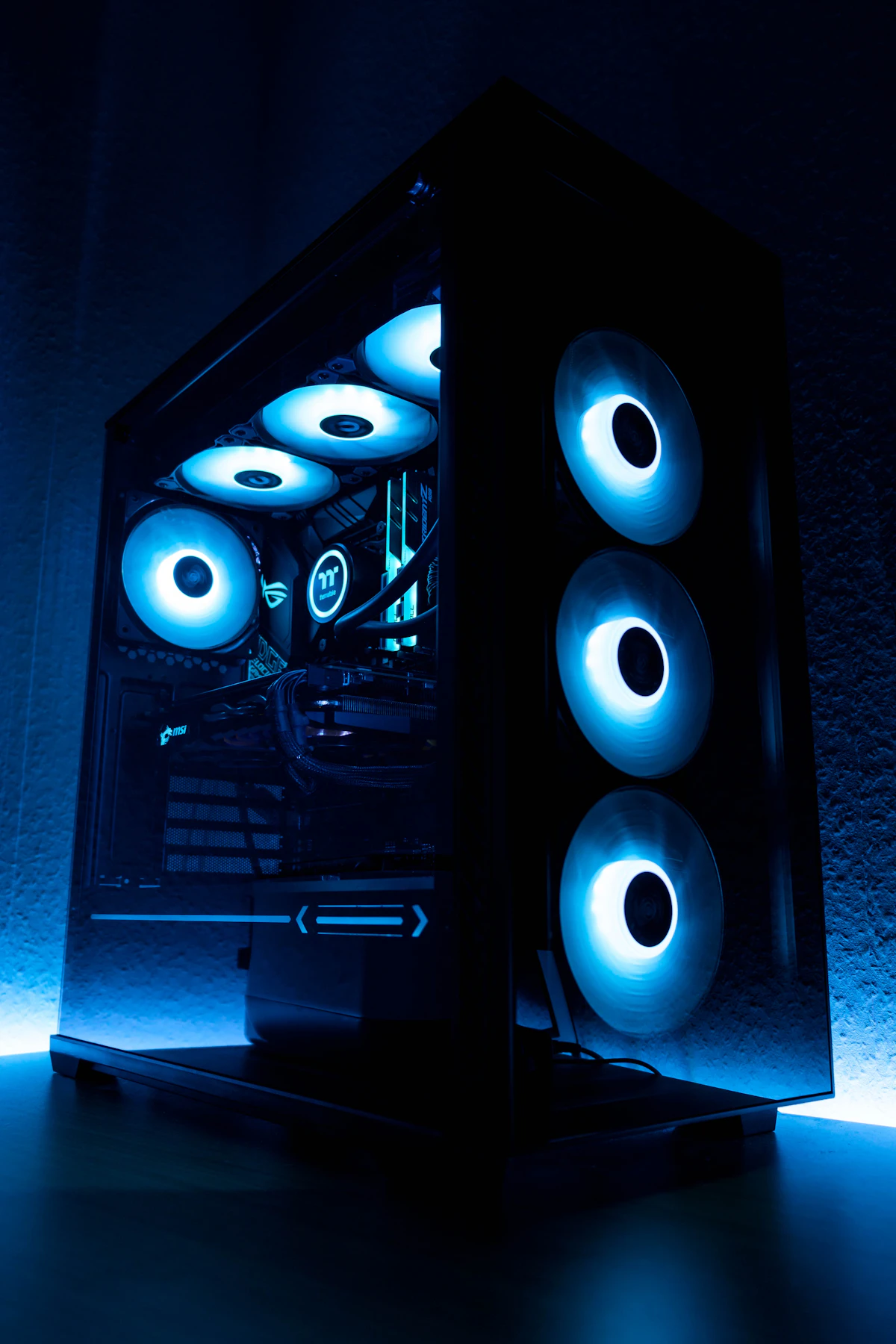
Planning your dream custom PC build in Muscat? Learn how to choose the right CPU, GPU, 360mm AIO liquid cooling, and airflow cases designed for Oman climate.
How to Build the Ultimate Custom Gaming PC in Oman: 2026 Parts & Thermal Guide
Building a custom gaming PC in the Sultanate of Oman is one of the most rewarding tech experiences. Unlike pre-built office towers, a bespoke rig tailored to your exact gaming, streaming, or 3D rendering workload guarantees superior thermals, whisper-quiet operation, infinite upgradeability, and unbeatable value per Omani Rial (OMR).
However, building a performance computer in the Arabian Gulf requires special engineering considerations: dust prevention, high-ambient thermal dissipation, stable power conditioning, and optimized airflow dynamics.
In this exhaustive 2026 guide, the hardware specialists at Future IT provide a masterclass in selecting the best components, designing efficient airflow paths, and matching your budget to realistic OMR price brackets.
---
#1. GCC Climate Realities: Thermal Dynamics & Case Airflow
When building a PC in Muscat, Salalah, or Sohar, the biggest enemy of high frame rates is heat soak and micro-dust accumulation.
##Positive Air Pressure vs. Negative Air Pressure
In standard environments, negative pressure (more exhaust fans than intake fans) extracts hot air quickly. However, in Oman, negative pressure creates a vacuum effect that pulls fine desert dust through every unfiltered crack, screw hole, and PCI bracket.
- The Golden Rule for Oman Builds: Always configure Positive Air Pressure. You must have more filtered intake CFM (Cubic Feet per Minute) than exhaust CFM.
- Mesh Front Panels: Avoid solid tempered glass front panels. Opt for high-porosity mesh front cases such as the Lian Li LANCOOL 216, Fractal Design Pop Air, or NZXT H6 Flow.
---
#2. Choosing the Best Core Components (2026 Edition)
##The Processor (CPU): AMD Ryzen vs. Intel Core
- The Gaming Champion: AMD Ryzen 7 7800X3D (Approx. 165 - 190 OMR)
Featuring revolutionary 3D V-Cache technology with 96MB of L3 cache, the 7800X3D destroys competing CPUs in gaming 1% low frame rates while drawing a minuscule 65W to 85W of power under gaming loads. Its low power draw makes it exceptionally easy to cool in Oman.
- The Productivity Hybrid: Intel Core i7-14700K (Approx. 160 - 180 OMR)
With 20 cores (8 Performance + 12 Efficiency) and 28 threads, this is the ultimate hybrid chip for users who edit 4K video, run virtual machines, and game simultaneously. It requires robust cooling (minimum 360mm AIO).
##The Graphics Card (GPU): NVIDIA GeForce RTX 40-Series
Your GPU consumes 40% to 50% of your total build budget.
- 1080p Esports Dominance (Budget 350 - 450 OMR Builds): NVIDIA GeForce RTX 4060 8GB / RTX 4060 Ti 16GB.
- 1440p High-Refresh Ultra Gaming (Sweet Spot 600 - 850 OMR Builds): NVIDIA GeForce RTX 4070 Super 12GB or RTX 4070 Ti Super 16GB.
- Uncompromised 4K Ray Tracing & VR (Enthusiast 1,100+ OMR Builds): NVIDIA GeForce RTX 4080 Super 16GB or RTX 4090 24GB.
##Motherboard & Power Delivery (VRM)
Never skimp on the motherboard VRM (Voltage Regulator Module). In warm climates, budget motherboards without beefy heatsinks will throttle the CPU boost clocks under sustained workloads.
- AMD AM5 Platform: B650 chipset boards (such as MSI MAG B650 TOMAHAWK WIFI or ASUS TUF GAMING B650-PLUS) offer PCIe 5.0 M.2 slots, Wi-Fi 6E/7, and robust 14+2 power phases.
- Intel LGA1700 Platform: Z790 chipset boards (like Gigabyte Z790 AORUS ELITE AX) allow full unlocked power limits and high-frequency DDR5 memory profiles (XMP 3.0 up to 7200MHz+).
---
#3. Recommended Custom PC Build Configurations in Oman (OMR)
Below are three thoroughly tested, perfectly balanced builds curated by Future IT for the Oman market:
##Tier 1: The 1080p/1440p Esports Warrior (~420 OMR)
Designed for maximum competitive FPS in Valorant, CS2, Fortnite, and Apex Legends.
| Component | Part Selection | Approx. Price (OMR) |
|---|---|---|
| CPU | AMD Ryzen 5 7600 (6 Cores / 12 Threads) | 78 OMR |
| Cooler | DeepCool AK400 Digital Air Cooler | 16 OMR |
| Motherboard | ASRock B650M-HDV/M.2 | 48 OMR |
| RAM | Corsair Vengeance 32GB (2x16GB) DDR5 6000MHz CL30 | 44 OMR |
| GPU | ZOTAC Gaming GeForce RTX 4060 Twin Edge 8GB | 125 OMR |
| Storage | Kingston KC3000 1TB PCIe 4.0 NVMe M.2 (7000MB/s) | 32 OMR |
| Power Supply | DeepCool PK650D 650W 80-Plus Bronze | 22 OMR |
| Chassis | Montech AIR 100 ARGB Mesh (4x Fans Included) | 25 OMR |
| Total Build Cost | Fully Assembled & Stress-Tested | ~390 - 425 OMR |
---
##Tier 2: The 1440p / 4K QHD Enthusiast Rig (~780 OMR)
The gold standard for playing AAA blockbuster titles at maximum settings with ray tracing enabled.
| Component | Part Selection | Approx. Price (OMR) |
|---|---|---|
| CPU | AMD Ryzen 7 7800X3D (8 Cores / 16 Threads 3D V-Cache) | 175 OMR |
| Cooler | Thermalright Frozen Prism 360 ARGB Liquid Cooler | 34 OMR |
| Motherboard | MSI B650 GAMING PLUS WIFI | 72 OMR |
| RAM | G.Skill Trident Z5 Neo RGB 32GB (2x16GB) 6000MHz CL30 | 52 OMR |
| GPU | ASUS TUF Gaming GeForce RTX 4070 Super 12GB OC | 275 OMR |
| Storage | Samsung 990 PRO 2TB PCIe 4.0 NVMe M.2 | 68 OMR |
| Power Supply | Corsair RM750e 750W 80-Plus Gold ATX 3.0 PCIe 5.0 | 48 OMR |
| Chassis | Lian Li LANCOOL 216 RGB High-Airflow Case | 38 OMR |
| Total Build Cost | Fully Assembled & Stress-Tested | ~762 - 795 OMR |
---
##Tier 3: The Ultimate 4K Content Creation & Gaming Beast (~1,380 OMR)
Zero compromises. Capable of 4K 144Hz HDR gaming, local AI model inference, and real-time 3D rendering.
| Component | Part Selection | Approx. Price (OMR) |
|---|---|---|
| CPU | Intel Core i9-14900K or AMD Ryzen 9 7950X3D | 230 OMR |
| Cooler | Lian Li Galahad II Trinity SL-INF 360mm AIO | 78 OMR |
| Motherboard | ASUS ROG STRIX Z790-E GAMING WIFI II | 165 OMR |
| RAM | Corsair Dominator Titanium 64GB (2x32GB) DDR5 6400MHz | 115 OMR |
| GPU | MSI GeForce RTX 4080 Super 16GB GAMING X SLIM | 440 OMR |
| Storage | 2TB Samsung 990 PRO OS + 4TB Crucial P3 Plus Storage | 160 OMR |
| Power Supply | Seasonic Focus GX-1000 ATX 3.0 1000W 80-Plus Gold | 75 OMR |
| Chassis | NZXT H9 Flow Dual-Chamber Panoramic Case | 65 OMR |
| Custom Cable Kit | CableMod Pro ModMesh Sleeved Extension Kit | 22 OMR |
| Total Build Cost | Fully Assembled & Stress-Tested | ~1,350 - 1,420 OMR |
---
#4. Step-by-Step Thermal & Assembly Checklist
When building or receiving your custom PC, follow these mission-critical installation rules:
- Remove the Plastic AIO Base Film: The single most common rookie mistake is leaving the clear protective sticker on the copper base of the CPU water block. Always double check before mounting!
- Apply High Thermal Conductivity Paste: Use non-conductive paste with high thermal conductivity (12.5 W/m-K or higher), such as Thermal Grizzly Kryonaut or Noctua NT-H2. Use the "pea-size + 4 small dots" pattern for even spread under mounting pressure.
- Enable XMP / EXPO in BIOS: DDR5 RAM boots at default 4800MHz speeds. You must enter your BIOS (press `DEL` or `F2` on startup) and enable AMD EXPO or Intel XMP profile to unlock the full 6000MHz/6400MHz advertised speeds.
- Use Discrete PCIe Power Cables: Do not "daisy chain" a single PCIe power cable into two 8-pin GPU headers. Run dedicated separate 8-pin cables from your power supply or use the native 16-pin 12VHPWR cable directly into the GPU to prevent melted connectors.
---
#5. Custom PC Assembly & Part Availability at Future IT
Don't want to risk bending CPU socket pins or messing up delicate front panel headers? Let the certified technicians at Future IT build it for you.
- Same-Day Assembly & 24-Hour FurMark/Cinebench Burn-In: We verify thermal stability before your rig leaves our Muscat workshop.
- Clean Cable Management: All internal wiring is neatly routed, zip-tied, and hidden behind rear chassis shrouds for optimal airflow.
- Genuine Oman Warranty: Every individual component carries its full authorized distributor warranty (3 to 10 years depending on component).
- Free Expert Consultations: Chat with our hardware specialists via WhatsApp or visit our Ruwi store to customize your build sheet to your exact budget.
Start building your dream rig today on the Future IT Custom PC Configurator or browse individual components at Future IT PC Parts!
---
#7. Power Protection in Oman: Why an AVR or UPS is Mandatory for Gaming PCs
Power surges, brownouts, and electrical grid fluctuations during summer thunderstorms can wreak havoc on sensitive computer electronics.
##Why You Need an Active UPS (Uninterruptible Power Supply)
- Voltage Stabilization (AVR): Modern gaming power supplies feature Active PFC (Power Factor Correction), but severe voltage dips below 200V or spikes above 250V trigger safety shutdowns that can corrupt your Windows installation and NVMe data partitions.
- Graceful Shutdown Runtime: A 1000VA to 1500VA Line-Interactive UPS gives you 10 to 15 minutes of battery backup during a sudden blackoutu2014plenty of time to save your project, exit your game, and shut down cleanly.
- Surge Suppression: Protects your 1,000+ OMR investment from high-voltage lightning surges through AC mains or Ethernet cables.
##Recommended UPS Units for Custom Rigs:
- APC Back-UPS Pro 1200VA / 1500VA: Features LCD power load readouts, automatic voltage regulation (AVR), and 6 surge-protected battery outlets. (Approx. 75 u2013 98 OMR)
- Eaton 5E Gen2 1200VA: Compact, affordable, and whisper-quiet power conditioning. (Approx. 48 u2013 62 OMR)
Frequently Asked Questions
Common queries answered by our Muscat tech specialists
Need Expert Advice on Your Setup?
Speak directly with our Muscat PC hardware and networking engineers on WhatsApp for custom build quotes, compatibility checks, and official local warranty support.
Related Guides & Articles
More technology buying advice from our editorial team

Top Gaming Laptops in Oman (2026 Edition): ASUS ROG, Lenovo Legion, and MSI Compared
Looking for the best gaming laptop in Oman? We benchmark ASUS ROG Strix, Lenovo Legion Pro, and MSI Raider across thermals, FPS in GCC heat, and OMR value.

iPhone 16 Pro Max vs Samsung Galaxy S25 Ultra in Oman: The Definitive Flagship Showdown
Deciding between iPhone 16 Pro Max and Samsung S25 Ultra in Oman? We compare camera zoom, outdoor screen brightness, battery life, and official OMR prices.

Esports Gear Guide: How Mechanical Keyboards & Lightweight Mice Level Up Your Game
Looking to gain a competitive edge in Valorant or CS2? Discover the best Hall Effect magnetic keyboards, ultra-lightweight gaming mice, and audio gear in Oman.